
 All vikis
 007 First Light
 AI
 Aion 2
 Ananta
 ARC Raiders
 ArcheAge Chronicles
 Call of Duty: Modern Warfare 4
 ChatGPT
 Chrono Odyssey
 Civilization 3
 Civilization 4
 Crimson Desert
 Deadlock
 Diablo 4
 Diablo 5
 Enshrouded
 Fable
 Final Fantasy Resonance
 Football Manager 27
 Forza Horizon 6
 God of War
 Grand Theft Auto 6
 Heroes of Might and Magic 3
Claude Code Headless and CI
claude -p "prompt" runs Claude Code once without the interactive screen and exits, printing text, JSON or streamed JSON; with --bare, --allowedTools and --permission-mode dontAsk it is how Claude Code runs in CI jobs, scripts and git hooks.
Headless mode is claude -p "your prompt" (or --print): Claude Code runs the task without its interactive screen, prints the result and exits with code 0 on success, so it fits shell scripts, CI pipelines and git hooks; add --output-format json for a result you can parse (Run Claude Code programmatically, read Nov 6, 2026). For anything unattended, Anthropic's best practices add --bare, an explicit --allowedTools list, --permission-mode dontAsk and a cap such as --max-turns.
Quick facts
| Command | claude -p "<prompt>" |
| Output formats | text, json (includes total_cost_usd), stream-json |
| Structured output | --json-schema |
| Reproducible runs | --bare (skips hooks, skills, plugins, MCP, CLAUDE.md; API key auth only) |
| Limits | --max-turns, --max-budget-usd |
| Start mode | default (Manual), unlike interactive sessions |
| Piping | cat error.log | claude -p "what's going on here" |
Sources for the table: Run Claude Code programmatically, Choose a permission mode and Best practices for Claude Code, Anthropic, read Nov 6, 2026.
How does claude -p work?
claude -p takes the prompt as an argument and anything piped to standard input as extra context:
claude -p "Find and fix the bug in auth.py" --allowedTools "Read,Edit,Bash"
git diff main --name-only | claude -p "review these changed files for security issues"
Both lines come from Anthropic's pages (Run Claude Code programmatically, Overview, read Nov 6, 2026). A headless run does not prompt you, so any tool call that would have asked is refused unless the tool is pre-approved; that is what --allowedTools is for. --continue and --resume pick up an earlier conversation, which lets a script hold a multi-step exchange. By default -p waits up to ten minutes of idle time for background work before exiting.
Output formats
--output-format text(the default): the final answer only.--output-format json: one object with the result, session id, turn count and cost, includingtotal_cost_usdand a per-model breakdown.--output-format stream-json: newline-delimited events as they happen; Anthropic pairs it with--verbose.--json-schema '<schema>': makes the final answer conform to a JSON Schema you supply.
Source: Run Claude Code programmatically, read Nov 6, 2026. For other languages, Anthropic suggests running the CLI as a subprocess with -p and --output-format json; in Python and TypeScript the Claude Agent SDK gives the same loop as a library.
Bare mode and trust
--bare skips discovery of hooks, skills, commands, subagents, plugins, MCP servers, auto memory and CLAUDE.md files, both the repository's and your own, so a run behaves the same on any machine. It never reads your claude.ai login: credentials come from ANTHROPIC_API_KEY, an apiKeyHelper in a --settings file, or a cloud provider. Anthropic calls it the recommended mode for scripts and SDK calls and says it will become the default for -p in a future release (Run Claude Code programmatically, read Nov 6, 2026). Pass what the run does need with --append-system-prompt, --mcp-config and --settings, but note that hooks in a --settings file do not run under --bare.
The reason it matters: without --bare, -p runs a repository's .claude/settings.json hooks and .mcp.json servers even in a folder you never trusted, because headless runs show no trust dialog (Hooks reference, read Nov 6, 2026). Before pointing a script at someone else's repository, read its .claude/ folder or use --bare.
Permissions for unattended runs
Headless runs start in Manual mode, not auto. For CI, Anthropic's documented pattern is an allowlist with dontAsk, which refuses anything not listed instead of waiting for an answer that will never come:
claude -p "run the test suite" --permission-mode dontAsk --allowedTools "Bash(npm test)" "Read"
Auto mode also works with --permission-mode auto: a classifier block refuses that one action and the run carries on (Best practices for Claude Code, read Nov 6, 2026). See Claude Code Permissions and Modes. Anthropic's best practices loop over files this way, replying OK or FAIL for each:
for file in $(cat files.txt); do
  claude --bare -p "Migrate $file to the new logger API and commit. Reply OK or FAIL." \
    --allowedTools "Read,Edit,Bash(git add *),Bash(git commit *)" \
    --permission-mode dontAsk \
    --max-turns 20
done
A run that hits the turn limit exits with an error. The same page suggests trying three files first, fixing the prompt, then running the rest.
Running in CI
On GitHub, the ready-made route is Claude Code GitHub Actions, built on the same engine; GitLab has its own beta integration. For any other CI system, install Claude Code on the runner, set ANTHROPIC_API_KEY (or the variables for Amazon Bedrock, Google Cloud's Agent Platform or Microsoft Foundry) as a secret, and call claude -p with the flags above. The Setup hook event runs one-time preparation when Claude Code starts with --init or --maintenance in -p mode (Hooks reference, read Nov 6, 2026). claude ultrareview runs Anthropic's cloud review from a pipeline.
Before leaving any run unattended, Anthropic asks five questions: does it know what done looks like, can it check its own work, what may it touch, what stops it (--max-turns, --max-budget-usd, a spend limit), and who approves the result (Best practices for Claude Code, read Nov 6, 2026).
Scheduled tasks and /loop
Not every repeated job needs a CI system. Cloud scheduled tasks, called routines until recently, save a prompt, repositories and connectors and run them hourly, nightly, weekly or once, on a GitHub event, or from an HTTP call, on Anthropic's cloud while your computer is off. They are a research preview on Pro, Max, Ultra, Team and Enterprise, draw on subscription usage, and are made at claude.ai/code/routines or with /schedule (for example /schedule daily PR review at 9am); runs are capped at 100 an hour per account (as of Nov 6, 2026). Desktop scheduled tasks run on your machine while the app is open. /loop 15m <prompt> repeats a prompt inside an open session, with tasks expiring after seven days (Run prompts on a schedule, read Nov 6, 2026). Anthropic advises protecting main with a branch rule before leaving a cloud task running.
Frequently asked questions
What does claude -p do? It runs Claude Code once in non-interactive (headless) mode: Claude works on the prompt, prints the answer and exits. It is how Claude Code is used from scripts, pipelines and CI.
How do I get JSON output from Claude Code? Add --output-format json for one result object with the answer and cost, or --output-format stream-json --verbose for live events. --json-schema makes the answer follow a schema you give.
Can I use my Claude subscription in CI? For GitHub Actions, yes, with a token from claude setup-token. Plain claude -p --bare runs need an API key or cloud credentials, since bare mode never reads the claude.ai login.
Why does claude -p not run my tools? Headless runs start in Manual mode and cannot ask you, so unapproved tools are refused. List them with --allowedTools, add allow rules, or use --permission-mode auto.
How do I limit what a Claude Code CI run spends? Use --max-turns and --max-budget-usd on the command, set a spend limit on the account, and add workflow timeouts in the CI system.
Sources
- Run Claude Code programmatically, Anthropic, read Nov 6, 2026
- Best practices for Claude Code, Anthropic, read Nov 6, 2026
- Choose a permission mode, Anthropic, read Nov 6, 2026
- Hooks reference, Anthropic, read Nov 6, 2026
- Overview, Anthropic, read Nov 6, 2026
- Automate work with scheduled tasks, Anthropic, read Nov 6, 2026
- Run prompts on a schedule, Anthropic, read Nov 6, 2026
- CLI reference, Anthropic, read Nov 6, 2026
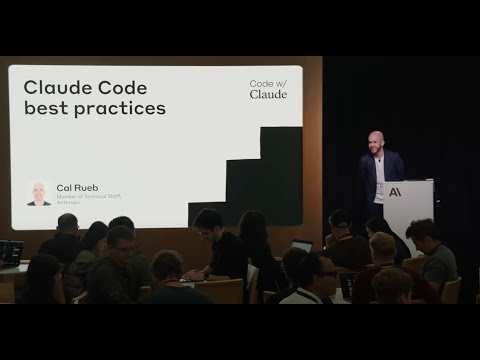
- Claude Code best practices | Code w/ Claude, Anthropic, Jul 31, 2025 (video)
Moments
Claude Code best practices | Code w/ Claude
Anthropic
Related
-
 Claude Code DesktopClaude Code Desktop is the Code tab of the Claude desktop app for macOS, Windows and Linux (beta). It runs Claude Code sessions side by side, locally, in the cloud or over SSH, with Git worktrees, a visual diff view, a terminal, a browser preview and computer use, on any paid Claude plan with no separate CLI install.
-
 Claude Code HooksClaude Code hooks are shell commands (or HTTP calls, MCP tools or model checks) that Claude Code runs at fixed points such as before a tool call, after an edit or when Claude stops, configured under "hooks" in a settings.json file.
-
-
 Claude Code Keyboard ShortcutsClaude Code's main shortcuts are Esc to stop Claude, Esc twice to rewind, Shift+Tab to cycle permission modes, Ctrl+R to search history, Ctrl+O for the transcript, Ctrl+B to background a task and Alt+P (Option+P) to switch model. Shortcuts can be changed in ~/.claude/keybindings.json, opened with /keybindings.
-
 Claude Code MCP ServersClaude Code connects to MCP servers with claude mcp add, for example claude mcp add --transport http notion https://mcp.notion.com/mcp, stored per user, per project in a shared .mcp.json file, or locally for one project.
-
-
-
Claude Code PricingClaude Code is included in every paid Claude plan, from Pro at $20 a month (or $17 billed annually) to Max at $100 and Ultra at $200, and shares their usage limits; it is not in the free plan. With a Console account it is billed per token at API rates instead, which Anthropic says averages about $13 per developer per active day.
See also
-
-
 Claude Agent SDKThe Claude Agent SDK (formerly the Claude Code SDK) is Anthropic's Python and TypeScript library that runs Claude Code's agent loop, tools, hooks, subagents and MCP support inside your own program; install it with pip install claude-agent-sdk or npm install @anthropic-ai/claude-agent-sdk.
-
 Claude Code Permissions and ModesClaude Code has six permission modes (Manual, Accept edits, Plan, Auto, Don't ask and Bypass permissions), cycled with Shift+Tab; since v2.1.283 interactive sessions start in auto mode, and --dangerously-skip-permissions turns every check off and belongs only in a container or VM.
-
 Claude Code GitHub ActionsClaude Code GitHub Actions (anthropics/claude-code-action@v1) lets you mention @claude in an issue or pull request to have Claude answer, change code and open pull requests; run /install-github-app in Claude Code to set it up.
-
 Claude Code Best PracticesAnthropic's Claude Code best practices come down to three things: tell Claude what it cannot see in the code, give it a check to run that passes or fails, and enforce rules that cannot have exceptions with hooks and deny rules instead of CLAUDE.md lines.
-
Claude Code CheckpointsClaude Code saves a checkpoint of your files before every prompt, so /rewind or Esc pressed twice can restore the code, the conversation or both to an earlier point. Checkpoints cover Claude's own file edits, not changes made only by shell commands or most subagents, so Git is still needed.