
 All vikis
 007 First Light
 AI
 Aion 2
 Ananta
 ARC Raiders
 ArcheAge Chronicles
 Call of Duty: Modern Warfare 4
 ChatGPT
 Chrono Odyssey
 Civilization 3
 Civilization 4
 Crimson Desert
 Deadlock
 Diablo 4
 Diablo 5
 Enshrouded
 Fable
 Final Fantasy Resonance
 Football Manager 27
 Forza Horizon 6
 God of War
 Grand Theft Auto 6
 Heroes of Might and Magic 3
Claude Code Checkpoints
Claude Code saves a checkpoint of your files before every prompt, so /rewind or Esc pressed twice can restore the code, the conversation or both to an earlier point. Checkpoints cover Claude's own file edits, not changes made only by shell commands or most subagents, so Git is still needed.
To undo changes in Claude Code, run /rewind or press Esc twice on an empty prompt, pick the prompt you want to go back to, and choose Restore code and conversation, Restore conversation or Restore code (Checkpointing). This works because Claude Code takes a checkpoint, a snapshot of the files it is tracking, before every prompt that starts a turn. Checkpoints are saved with the conversation, so rewinding still works after you close Claude Code and resume the session. They have limits worth knowing before you rely on them: a file changed only by a shell command (a formatter, sed, a code generator) is not restored, edits made by most subagents are not either, and snapshots are deleted after about 30 days. Anthropic's own advice is that checkpoints are for quick recovery within a session and are no replacement for Git. Checkpoints and /rewind arrived with Claude Code 2.0 on Sep 29, 2025.
Quick facts
| Open the rewind menu | /rewind, or Esc Esc on an empty prompt |
| When a checkpoint is made | Before each prompt that starts a turn |
| Snapshots kept | The 100 most recent checkpoints in a session |
| Kept for | About 30 days after the session's last snapshot (cleanupPeriodDays) |
| Survives resume | Yes |
| Tracks | Claude's file edits, and later shell changes to files Claude already edited |
| Does not track | Files changed only by shell commands, most subagent edits, outside edits, symlinks |
| Added | Claude Code 2.0, Sep 29, 2025 |
Sources: Checkpointing, Claude Code Docs, read Nov 6, 2026; Claude Code changelog, Sep 29, 2025.
How do I rewind in Claude Code?
- Run
/rewind, or pressEsctwice while the prompt is empty. (With text in the prompt,Esctwice clears it instead; the text is saved in history, soUpbrings it back.) - The menu lists the prompts you sent in this session. Choose the one to go back to.
- Choose an action:
- Restore code and conversation: both go back to that point.
- Restore conversation: the chat goes back, your files stay as they are.
- Restore code: the files go back, the conversation stays.
- Summarize from here: everything after this point is replaced by a summary, to free context.
- Summarize up to here: everything before this point is summarized, later messages stay.
- Never mind: back to the list, nothing changed.
Source: Checkpointing, read Nov 6, 2026.
The two code options appear only if that checkpoint has file changes to undo. After restoring the conversation or summarizing from a point, the original prompt reappears in the input box, ready to edit and send again, which is the usual way to retry a request with better wording. In the VS Code extension the same choices sit on each message: hover over it to rewind the code, fork the conversation, or both (Claude Code in VS Code and JetBrains).
Summarizing instead of rewinding
The two summarize options change no files. They work like a targeted /compact: the chosen stretch of conversation is compressed into a summary, a "Summarized conversation" marker shows where, and the original messages stay in the session's transcript (Checkpointing). To steer the summary, highlight a Summarize option with the arrow keys, type instructions where the row reads "add context (optional)" and press Enter. Summarizing from a midpoint suits a long debugging session: the opening instructions stay word for word, and the trial and error after them shrinks to a paragraph. For managing context in general, see Claude Context Window.
What checkpoints do not cover
Anthropic lists the gaps plainly (Checkpointing):
- Shell commands. A file that only a shell command changed is not tracked and stays as it is. Once Claude has edited a file with its own tools, later shell changes to that file are rewound too.
- Subagents. Edits by a subagent are usually not captured. Only a skill forked to run in the foreground edits within your own turn; any other subagent's changes to files Claude had not already edited stay after a rewind, including a background
/code-review --fix. - Outside changes. Edits you make in your editor, or another Claude Code session makes, are not captured unless they touch files this session also changed.
- Messages sent mid-turn. A message typed while Claude was working may show "No code restore"; rewind to the prompt that started that turn instead.
- Symbolic and hard links. Restores skip them with a "Restored the code, but skipped N files" warning, which affects dotfile managers and pnpm.
- Age. Snapshots older than about 30 days are deleted, and rewinding to one can fail with "No files were restored"; raise
cleanupPeriodDaysto keep them longer. - Side effects. A rewind restores files, not the world: a database migration that ran, a package that was published or a commit that was pushed stays done.
Anthropic's conclusion is that checkpoints are "not a replacement for version control". Commit before letting Claude loose on something large, or work in a Git worktree (Claude Code Desktop has a toggle for one), and use permission modes to keep Claude from running commands with lasting effects unasked.
Rewind, branch and resume
Rewinding stays in the same session. To try a different approach while keeping the original intact, /branch creates a branch of the conversation at the current point, and claude --continue --fork-session does the same from the shell (Checkpointing, Commands). If you ran /clear earlier, the rewind menu shows an extra first entry, /resume <session-id> (previous session), to return to the conversation before the clear, as long as Claude Code has not been closed. One quirk: if you rewind and then quit before sending another prompt, the rewound messages can come back on resume, because Claude Code saves the rewound conversation with your next prompt.
Frequently asked questions
How do I undo Claude Code changes? Press Esc twice on an empty prompt or run /rewind, pick the prompt to go back to, and choose Restore code (files only) or Restore code and conversation.
Does Claude Code rewind undo shell commands? No. Claude Code checkpoints restore files Claude edited with its own tools; files changed only by shell commands, and side effects such as migrations or pushes, are not undone, so use Git for those.
How long does Claude Code keep checkpoints? Claude Code keeps snapshots for the 100 most recent checkpoints in a session and deletes them about 30 days after the session last saved one, a period set by cleanupPeriodDays.
Do Claude Code checkpoints work after closing the session? Yes. Checkpoints are saved with the conversation, so /rewind works after resuming a Claude Code session with /resume or claude --continue.
Is /rewind the same as git reset? No. Claude Code's /rewind only restores the files it tracked in that session and leaves Git history alone; git reset changes the repository's commits and can undo work Claude did not track.
Can I rewind in the Claude Code VS Code extension? Yes. In the Claude Code VS Code extension, hover over a message to rewind the code, fork the conversation from there, or both.
Sources
- Checkpointing, Claude Code Docs, read Nov 6, 2026
- Commands, Claude Code Docs, read Nov 6, 2026
- Use Claude Code in VS Code, Claude Code Docs, read Nov 6, 2026
- Claude Code changelog, Claude Code Docs, read Nov 6, 2026
- Enabling Claude Code to work more autonomously, Anthropic, Sep 29, 2025
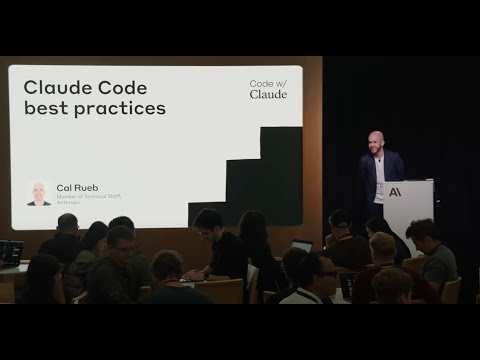
- Claude Code best practices | Code w/ Claude, Anthropic, Jul 31, 2025 (video)
Moments
Claude Code best practices | Code w/ Claude
Anthropic
Related
-
 Claude Agent SDKThe Claude Agent SDK (formerly the Claude Code SDK) is Anthropic's Python and TypeScript library that runs Claude Code's agent loop, tools, hooks, subagents and MCP support inside your own program; install it with pip install claude-agent-sdk or npm install @anthropic-ai/claude-agent-sdk.
-
 Claude Code Best PracticesAnthropic's Claude Code best practices come down to three things: tell Claude what it cannot see in the code, give it a check to run that passes or fails, and enforce rules that cannot have exceptions with hooks and deny rules instead of CLAUDE.md lines.
-
 Claude Code GitHub ActionsClaude Code GitHub Actions (anthropics/claude-code-action@v1) lets you mention @claude in an issue or pull request to have Claude answer, change code and open pull requests; run /install-github-app in Claude Code to set it up.
-
 Claude Code Headless and CIclaude -p "prompt" runs Claude Code once without the interactive screen and exits, printing text, JSON or streamed JSON; with --bare, --allowedTools and --permission-mode dontAsk it is how Claude Code runs in CI jobs, scripts and git hooks.
-
 Claude Code HooksClaude Code hooks are shell commands (or HTTP calls, MCP tools or model checks) that Claude Code runs at fixed points such as before a tool call, after an edit or when Claude stops, configured under "hooks" in a settings.json file.
-
Claude Code Keyboard ShortcutsClaude Code's main shortcuts are Esc to stop Claude, Esc twice to rewind, Shift+Tab to cycle permission modes, Ctrl+R to search history, Ctrl+O for the transcript, Ctrl+B to background a task and Alt+P (Option+P) to switch model. Shortcuts can be changed in ~/.claude/keybindings.json, opened with /keybindings.
-
 Claude Code MCP ServersClaude Code connects to MCP servers with claude mcp add, for example claude mcp add --transport http notion https://mcp.notion.com/mcp, stored per user, per project in a shared .mcp.json file, or locally for one project.
-
See also
-
-
-
Claude Context WindowEvery current Claude model (Fable 5.1, Opus 5.5, Sonnet 5.5, Haiku 5.5) has a 1M-token context window on the API, about 555,000 words, and can write up to 128K tokens in one response. In the Claude apps the window is up to 1M on paid plans depending on the model, and long chats are summarized automatically near the limit.
-
Claude Code SubagentsClaude Code subagents are helper agents that run in their own context window with their own instructions, tools and model; Claude Code ships built-in ones such as Explore and Plan, and you add your own as Markdown files in .claude/agents/.
-
 Claude Code DesktopClaude Code Desktop is the Code tab of the Claude desktop app for macOS, Windows and Linux (beta). It runs Claude Code sessions side by side, locally, in the cloud or over SSH, with Git worktrees, a visual diff view, a terminal, a browser preview and computer use, on any paid Claude plan with no separate CLI install.
-
 Claude Code Permissions and ModesClaude Code has six permission modes (Manual, Accept edits, Plan, Auto, Don't ask and Bypass permissions), cycled with Shift+Tab; since v2.1.283 interactive sessions start in auto mode, and --dangerously-skip-permissions turns every check off and belongs only in a container or VM.